Overview
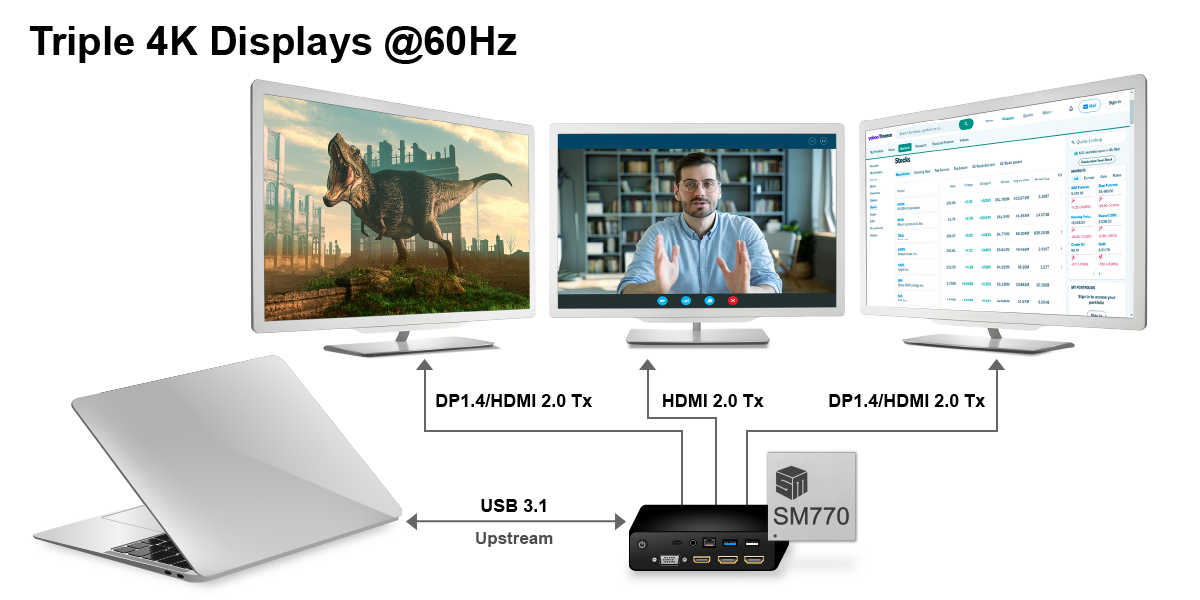
Silicon Motion's SM770 high-performance USB Display Interface SoC for universal docking station supports up to three concurrent 4K UHD (3840x2160@60p) displays, leveraging Silicon Motion's innovative CAT™ (Content Adaptive Technology) and employs multiple image and video processing algorithms to compress display data and minimize bandwidth usage to deliver ultra-low latency from the computer to the monitors. By transferring most of the compression work to a hardware accelerator, CAT technology operates more efficiently and reduces the CPU load.
For seamless multi-display extension, the SM770 features the user-friendly InstantView™ software application. This tool effortlessly configures host content for any display without the need for a display driver. Additionally, the SM770 offers broad compatibility with all major platforms, including the Microsoft Windows, Apple macOS, and Linux operating systems. It also includes extensions for Android, ChromeOS, and most popular display brands on the market. Whether in the workplace or at home, the SM770 makes display extension easier and more efficient.
Applications
 USB Docking Station
 USB Adapter
 Portable Monitor
 Wireless Display
Features
ARM Dual Core Processor
USB 3.2 Gen2 (10Gbps)
- 1x Device port
Display Resolution
- Up to 3* 4K @60hz
Display Outputs
- Built-in two DP v1.4 transmitters, the output supports up to 4K UHD resolution
- Built-in three HDMI v2.0 transmitters, the output supports up to 4K UHD resolution
- HDCP 2.3
- Dual 24-bit LVDS channels
Hardware Video/Image Decoders
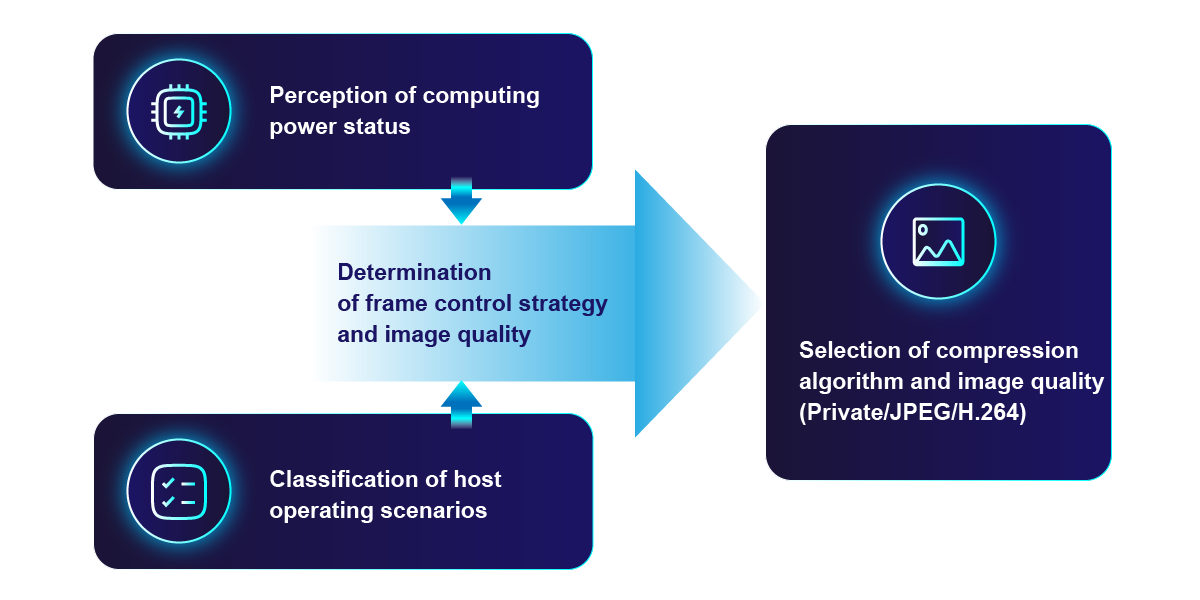
- CAT (Content Adaptive Technology): Intelligent module for dynamic compression algorithm selection
- H.264 and H.265 Video Decoder
I2C/I2S/GPIO/SPI interfaces
Technologies
CAT™ 2.0 Technology
The 2nd Generation CAT™ Technology (CAT 2.0) is an intelligent module featuring real-time content adaptive CODEC. It dynamically selects the optimal compression algorithm during runtime to deliver high image quality, superior video performance, low CPU and GPU usage, and reduced power consumption, enhancing the overall user experience.
InstantView™
Enabling USB docking station Plugin and Display
Silicon Motion's InstantView software enables seamless screen mirroring or extended display without requiring display driver installation. With an intuitive interface, it eliminates the need for IT support and ensures a true plug-and-play experience. InstantView stays active on the host computer, auto-updates itself, and upgrades docking/adapter firmware to maintain optimal performance.
Downloads
White Paper
Driver
| Driver Name | Download |
|---|---|
| SM76x Driver Download |  |
| SM770 Driver Download | |
Graphics Software FAQ
Find quick answers to your Graphics product questions!
The SMI Graphics Software FAQ mainly provides answers to common questions.
If the above information doesn't solve your question, please feel free to contact us directly via Contact Us-Silicon Motion. Select "Others" and then "Graphics Soc/GPU" from the "Product Line" dropdown. We are here to assist you and provide the necessary support.

Blog
Selection Guide
| Filters |
 {{ head.title }}
|
||||
|---|---|---|---|---|---|
| Filters | |||||
|
|
|
||||
{{ item.title }}
|
{{ findOption(head.id, item.options, '--') }} |
